Digitise paper documents and Outlook e-mails and file them on the right SAP object with one click — via ArchiveLink and the CaRD Connector (CMIS). Fewer media breaks, shorter cycle times, lower process costs.
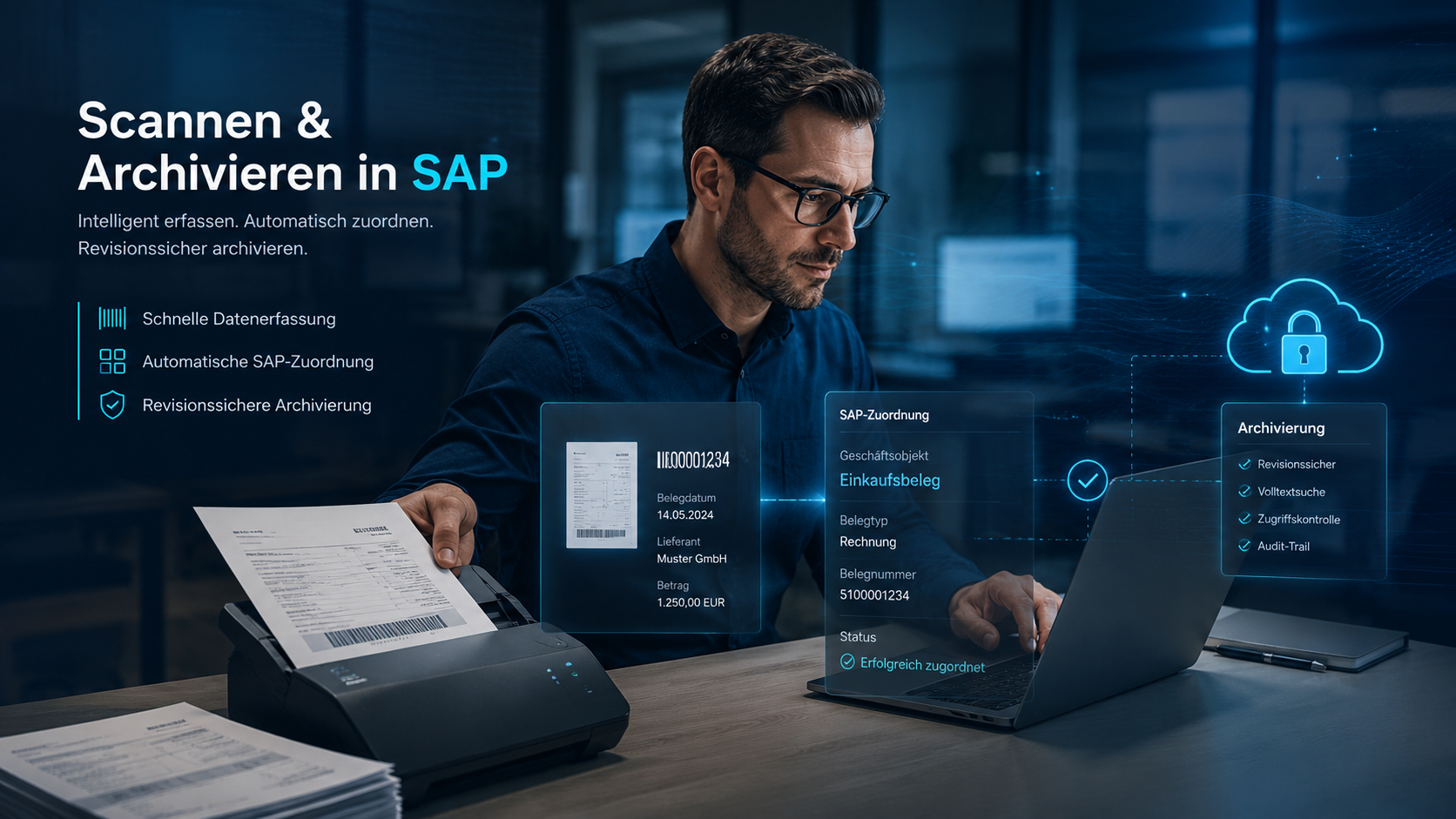
Documents that are printed, filed in binders or forwarded by e-mail create search time, errors and compliance risk. Direct integration replaces those steps with a single click — audit-proof and traceable.
Fewer touches per document, no duplicate filing, no printing just to archive. That saves measurable time in finance, purchasing and sales.
Documents are attached to the right SAP object — order, purchase order, material document, document info record. No searching through drives or mailboxes.
Standardised filing with metadata and permissions. In your own data centre, in SharePoint or in the cloud (Azure, S3) — you keep data sovereignty.
Modular and usable individually — all compatible with common SAP archive systems via ArchiveLink.
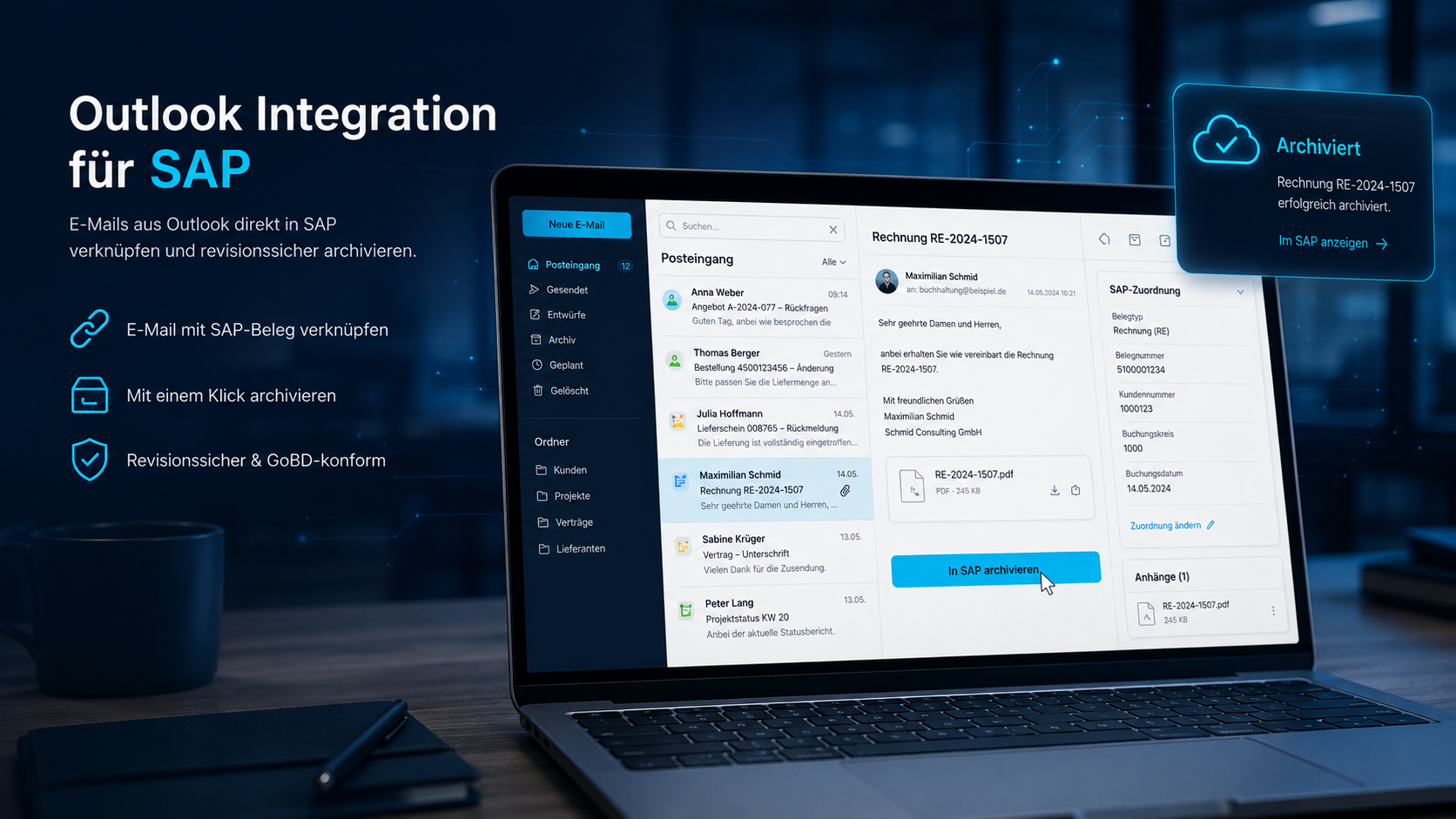
File e-mails including attachments on the SAP object with one click. Automatic assignment by subject or document number, optional PDF conversion.
File Word documents or the finished PDF directly from Word on the matching SAP document — recognises e.g. the order number in the text.
File calculations on the product or cost centre and save as a new version — ideal for controlling and product costing.
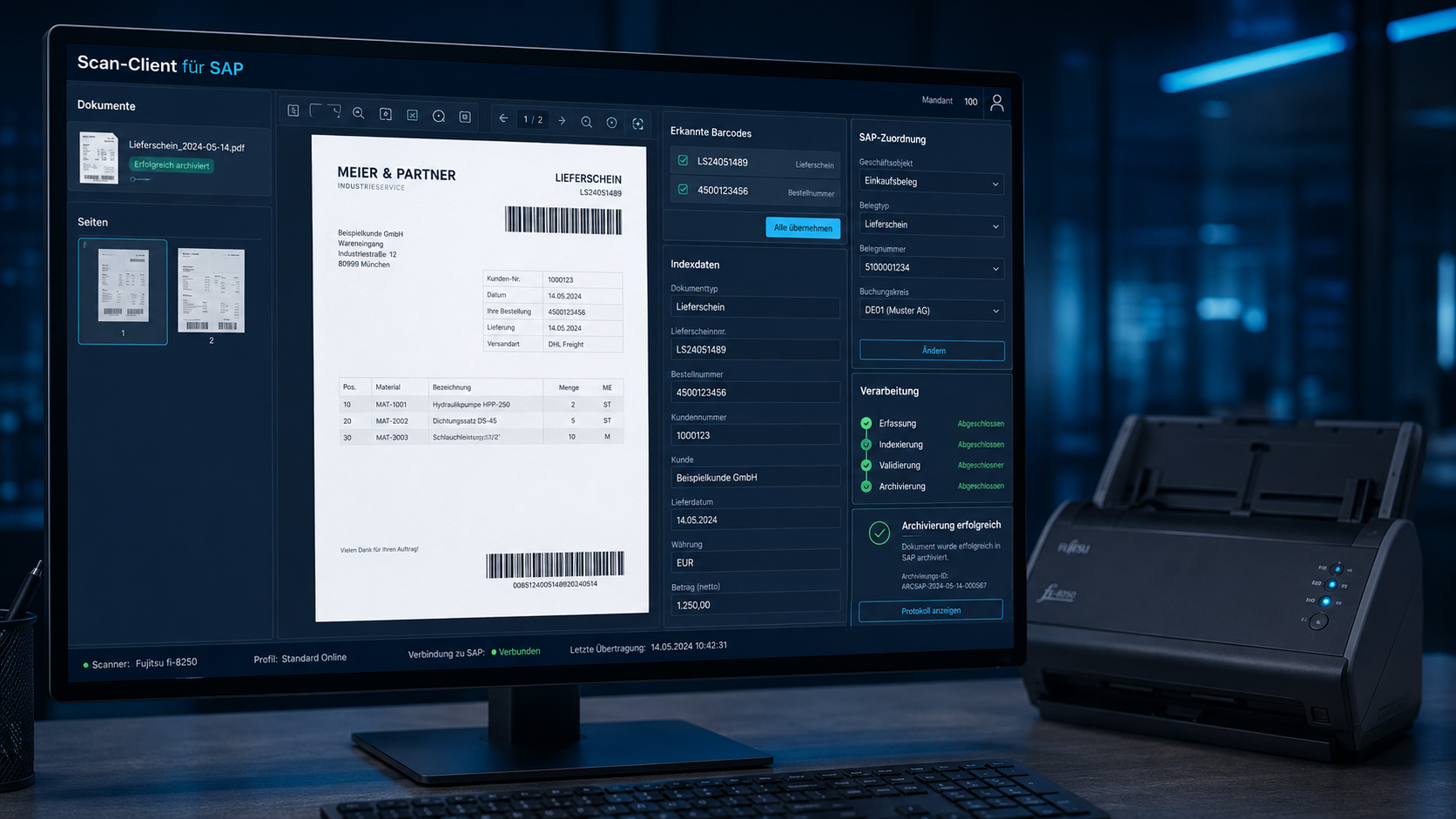
Digitise paper documents and assign them manually or by barcode. Standalone app, no SAP skills required, all TWAIN scanners.
Drive the scanner directly from SAP GUI. Includes an ABAP sample class to integrate into your own programs and transactions.
Batch processing: automatic assignment of files to SAP documents via barcodes or naming conventions — usually without user interaction.
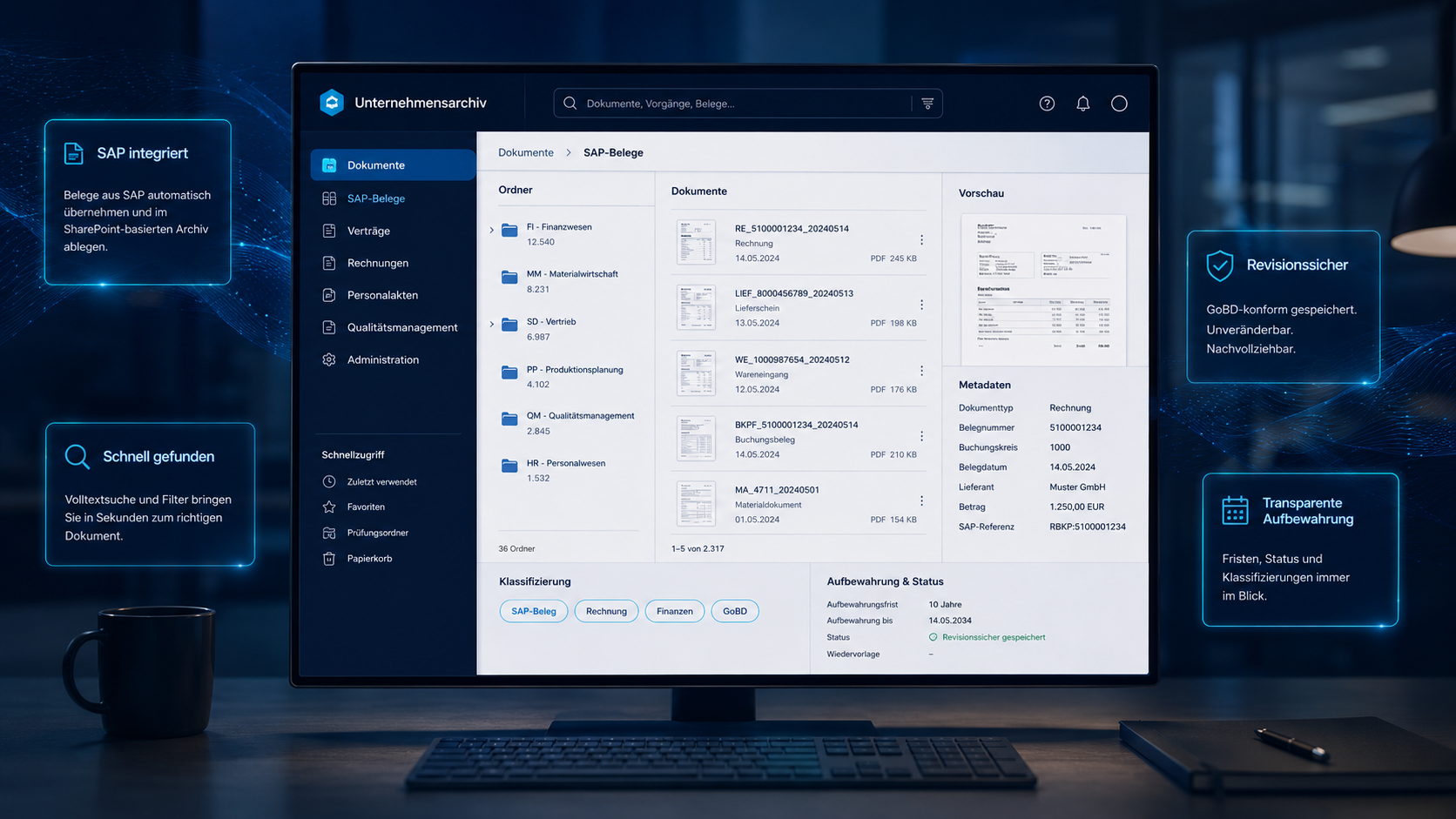
Use SharePoint (online or on-premise) as the SAP archive. Documents and attachments arrive classified with metadata — set via customizing.
Export and analyse SAP data in Excel in real time. Maintain table relationships in a visual editor — without development.
The CMIS and ArchiveLink connector that ties it all together — scans and mails straight into SAP, archive on SharePoint, Azure, S3 or file system.
Familiar interfaces, connected directly to SAP — from the inbox to the audit-proof archive.
The CaRD Connector speaks both classic SAP ArchiveLink and the modern CMIS protocol. So you file scans and Outlook e-mails straight into SAP — and freely choose where the content physically lives.
File the Outlook mail and its attachment audit-proof on the SAP object.
Scan documents, assign by barcode, straight into the SAP archive.
Choose the storage location — data sovereignty stays with you.
CMIS and ArchiveLink instead of proprietary lock-in.
Whether classic on-premise, managed cloud or public cloud — we connect your document processes through the right open interfaces.
 SAP partner since 1994 — a solution by CaRD Gesellschaft für EDV-Beratung mbH
Long-standing SAP and Microsoft partnerships and support for all leading storage and cloud platforms.


Supported platforms & storage




Scan or pick a mail.
Barcode or SAP object.
One click to the archive.
Right on the SAP document.
Indirect routes — print, scan, mail, upload manually — create copies, version chaos and gaps in the audit trail. Direct integration files the original document once, in the right place.
With SAP S/4HANA (on-premise and private cloud), RISE with SAP, SAP Public Cloud and SAP ECC. Integration is via ArchiveLink and/or the CMIS protocol.
No. The scan client and Outlook add-on are standalone applications with a simple interface. Assignment to SAP objects runs automatically via barcodes or the subject line.
Wherever you want: in your own data centre (file system), in SharePoint, or in the cloud (Azure Blob Storage, Amazon S3). The CaRD Connector abstracts the backend.
Yes. Our add-ons are ArchiveLink-compatible and work with all common SAP archive systems — the CaRD Connector is an option, not a prerequisite.
Individual tools such as the Excel export are ready in minutes. Rolling out scan and archive processes depends on your SAP objects and is typically productive within a few days.
Of course. We offer a no-obligation online demo and can provide a test installation on request. Just get in touch via the contact form.
We advise you without obligation and objectively. On request we show you scanning, Outlook filing and the CaRD Connector live in an online demo.
